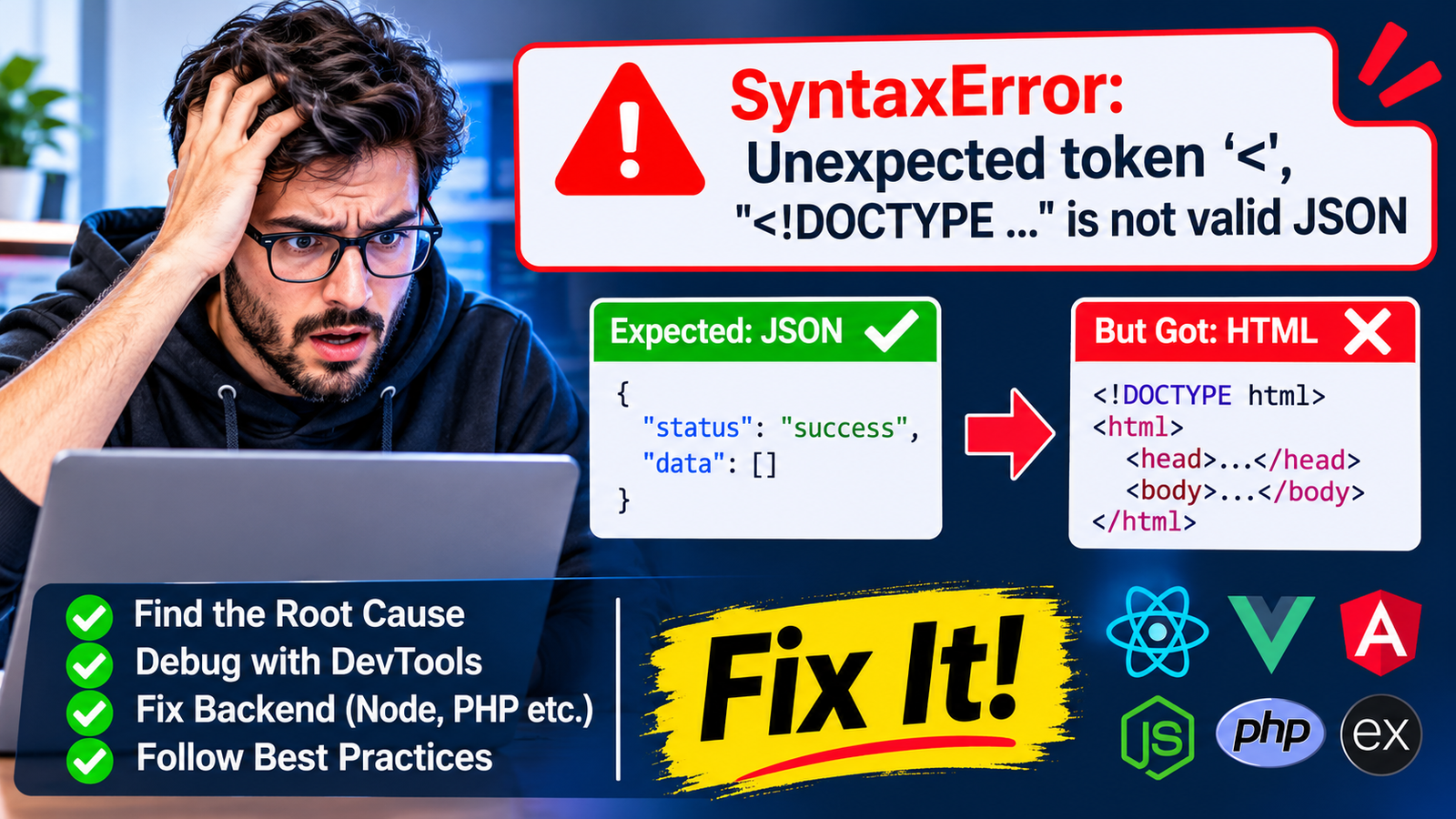
In contemporary full-stack web development, frontend applications (built with React, Vue, Angular, or vanilla JavaScript) rely heavily on asynchronous REST APIs and GraphQL endpoints to fetch dynamic data. During API integration using browser methods like fetch() or libraries like Axios, developers frequently run into client-side parsing exceptions.
Among these exceptions, few are as notorious or confusing to beginners as the following JavaScript runtime error:
SyntaxError: Unexpected token '<', "<!DOCTYPE "... is not valid JSONunexpected token doctype is not valid json
This error signals a fundamental communication mismatch between your client application and the backend web server. In this comprehensive guide, we will analyze the technical root causes of this parsing failure, explore step-by-step debugging workflows, demonstrate server-side fixes across popular backend environments, and highlight browser-based tools to streamline your API development.
Understanding the Root Cause: Why Does the Browser Flag <?
To understand why this exception occurs, you must inspect how the JavaScript response.json() method works under the hood.
When your frontend application makes an HTTP request, it expects a raw JSON payload returning from the backend server—typically starting with an object bracket { or an array bracket [. The browser’s native JSON parser reads the raw incoming stream. If the parser encounters the opening angle bracket < as the very first character, it immediately aborts execution and throws a SyntaxError.
The character < represents the signature opening character of an HTML document type declaration: <!DOCTYPE html>.
In simple terms, your frontend code asked the server for a clean JSON response, but the server responded with an entire HTML web page instead. Because raw HTML cannot be parsed as valid JSON structures, the execution breaks immediately.
Primary Reasons Your Server Returns HTML Instead of JSON
Server frameworks and web hosts (like Nginx, Apache, Express, or Laravel) fall back to serving HTML pages under several common operational scenarios:
1. API Route Mismatch or Missing Endpoint (404 Not Found)
If there is a typo in your API request URL, or if the backend endpoint has not been properly registered in your route definitions, the web server fails to locate the requested resource. By default, web servers return a standard HTML 404 error page. When your code blindly passes this 404 HTML body into response.json(), the parsing error is triggered.
2. Unhandled Backend Server Crashes (500 Internal Server Error)
When an unhandled exception or runtime crash occurs on your backend server—such as a failed database connection, an undefined variable reference, or a syntax error—frameworks like Express, Laravel, or Django usually render a graphical HTML stack trace page.
3. Authentication and CORS Redirects
If an API route is protected by authentication middleware and the client fails to pass valid session tokens or bearer headers, the server may issue a 302 redirect to an HTML login portal. Similarly, misconfigured CORS (Cross-Origin Resource Sharing) policies can cause preflight requests to fail, returning HTML error responses.
4. Single Page Application (SPA) Fallback Rules
Modern SPA development servers (such as Vite or Webpack Dev Server) use rewrite rules that route all unknown paths back to index.html. If an API request URL is misconfigured, Vite will simply serve the client-side index.html file back to your API call.
Step-by-Step Debugging Workflow
When troubleshooting API parsing failures in production or local development, follow this structured, diagnostic methodology:
Step 1: Inspect the Raw Network Response
Never guess what your API is returning. Open your browser Developer Tools (F12 or Right-Click -> Inspect), switch to the Network tab, and execute the failing action.
-
Filter the network requests by Fetch/XHR.
-
Select the failing API request line.
-
Check the Status Code (e.g., 404, 500, 302).
-
Click on the Response preview sub-tab. If you see
<!DOCTYPE html>, inspect the rendered HTML text to read the actual error message generated by the server.
Step 2: Validate Content-Type Response Headers
A well-designed REST API must explicitly communicate its payload format using HTTP response headers. Inspect the Headers tab in Developer Tools and verify that the Content-Type header is set to:
Content-Type: application/json; charset=utf-8
If the header states text/html, the backend route is serving web documents instead of structured data payloads.
Step 3: Implement Defensive HTTP Status Handling
A common mistake in frontend JavaScript is directly chaining response.json() without verifying HTTP success status flags. Always check response.ok before attempting to parse the body:
async function fetchUserData(userId) {
  try {
    const response = await fetch(`/api/users/${userId}`);

    // Check if the HTTP status code is in the 200-299 range
    if (!response.ok) {
      const errorText = await response.text();
      console.error(`HTTP Error ${response.status}:`, errorText);
      throw new Error(`Server returned status ${response.status}`);
    }

    const data = await response.json();
    return data;
  } catch (error) {
    console.error("API Fetch Error:", error.message);
  }
}
Code Fixes Across Backend Frameworks
To permanently eliminate this error, you must ensure that your backend application always catches errors internally and responds with structured JSON error payloads instead of default HTML pages.
Fixing Express.js (Node.js) Backend
In Express, register a global error-handling middleware at the very end of your middleware stack to catch unhandled application crashes and return JSON:
// Global error-handling middleware in Express
app.use((err, req, res, next) => {
  console.error("Unhandled Exception:", err.stack);

  res.status(err.status || 500).json({
    success: false,
    error: err.message || "Internal Server Error",
  });
});
For handling 404 routes in Express, add a catch-all route before your error handler:
// Catch-all route for missing API endpoints
app.use('/api/*', (req, res) => {
  res.status(404).json({
    success: false,
    message: "Requested API endpoint does not exist."
  });
});
Fixing PHP API Script Responses
In standalone PHP backend scripts, always declare the response header explicitly and turn off HTML error output in production:
<?php
// Set proper JSON headers
header("Content-Type: application/json; charset=UTF-8");

try {
    // Database operation or business logic
    $data = ["status" => "success", "user" => "Developer"];
    echo json_encode($data);
} catch (Exception $e) {
    http_response_code(500);
    echo json_encode([
        "status" => "error",
        "message" => $e->getMessage()
    ]);
}
?>
In-Depth Analysis and Technical Resources
If you are dealing with edge-case scenarios—such as custom Nginx proxy rewrites, JWT token expiration redirects, or framework-specific Vite development proxies—you can reference the complete technical breakdown on BitToolsKit’s Deep-Dive Troubleshooting Guide.
The guide provides real-world trace examples, advanced CORS preflight fixes, and architectural patterns to make your backend services completely immune to unexpected HTML leaks.
Essential Developer Utilities for API Testing
Debugging API payload structures, JSON syntax, and string encoding issues can consume significant development time. Utilizing dedicated browser-based utility tools helps developers validate datasets without exposing sensitive payload data to third-party cloud logging services.
When formatting, validating, or encoding API responses during active development, consider integrating these free web utilities into your daily workflow:
-
JSON Formatter & Validator: Safely validate complex nested API responses, fix missing quotes or commas, and format messy string payloads directly in your browser.
-
Base64 Encoder/Decoder: Quickly encode header credentials or decode base64-encoded binary payload strings during auth debugging.
-
JWT Decoder: Inspect bearer token payloads, verify claims, and check expiry timestamps when troubleshooting API authorization redirects.
Best Practices to Prevent Parsing Failures in Production
-
Establish Strict Route Namespaces: Always prefix backend API routes with a dedicated identifier (e.g.,
/api/v1/). This prevents SPA fallback rules from accidentally matching missing API routes to frontend HTML templates. -
Use API Monitoring Tools: Configure error tracking services (like Sentry or LogRocket) to capture client-side parsing failures automatically in production.
-
Always Validate Payloads Client-Side: Utilize schema validation libraries like Zod or Yup on the frontend to ensure that incoming API data matches expected TypeScript types before rendering UI components.
By adhering to defensive error handling, configuring proper response headers on your backend servers, and verifying network streams during development, you can ensure your web applications remain robust, resilient, and error-free.